The modern workplace has officially gone global. Whether you’re working from your home office, a café in Lisbon, or a coworking space in Austin, the shift from browser to boardroom is real. Remote work is no longer just a convenience — it’s how the world gets things done.
Today’s professionals live online. Freelancers, digital nomads, and hybrid employees rely on powerful remote work tools to stay connected, creative, and productive. But with so many options, it’s easy to feel overwhelmed. Which tools really matter? Which ones make the biggest difference in your day-to-day work?
Let’s break it down — from your browser to your boardroom — and find the essential tools and systems that keep remote professionals thriving.
The Browser-to-Boardroom Revolution
Ten years ago, remote work was an experiment. Today, it’s the backbone of modern business. From startups to global enterprises, teams are building systems that blend flexibility with efficiency.
The idea behind “Browser to Boardroom” is simple — everything you need to succeed can live online. You can brainstorm, design, collaborate, pitch, and close deals — all from your browser. The right digital tools make it feel like you’re sitting in the same room with your team, even when you’re thousands of miles apart.
This shift isn’t just about convenience — it’s about freedom. Digital nomad tips and freelancer workflow systems have evolved to help professionals work smarter, not harder.
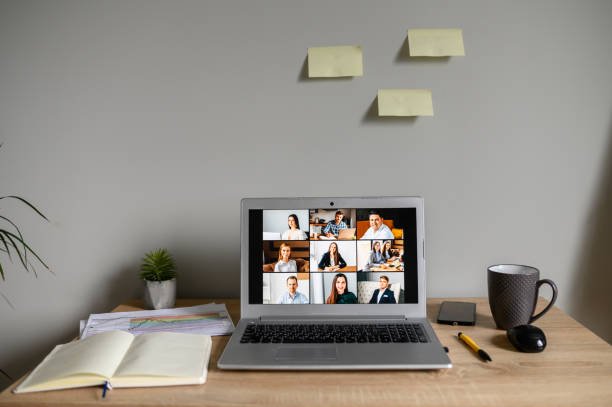
Setting the Foundation: Communication Tools
Every successful remote setup begins with communication. When your team is scattered across time zones, clarity is king.
1. Video and Voice Platforms
- Zoom: Still the go-to for most teams, Zoom makes meetings smooth and reliable.
- Google Meet: Perfect for small teams and freelancers who love simplicity.
- Microsoft Teams: Great for organizations that already use Microsoft 365.
These tools help bridge the gap between browser and boardroom, bringing real human connection to remote work. For many freelancers, video calls are the new conference rooms.
2. Asynchronous Collaboration Platforms
Not everyone works at the same time — and that’s okay. That’s where asynchronous collaboration comes in.
- Loom lets you record quick video updates for your team.
- Slack allows organized, real-time or delayed communication.
- Twist by Doist focuses purely on async communication for deep work.
When you embrace asynchronous systems, your team’s productivity skyrockets. You no longer wait for meetings — you move forward at your own pace.
Managing Projects Like a Pro
Whether you’re leading a remote team or managing your own freelancer workflow, project management tools are your command center.
1. Task and Workflow Management
- Trello: A simple, card-based system perfect for freelancers or small teams.
- Asana: A favorite for growing remote companies that need task dependencies and progress tracking.
- ClickUp: Combines everything — tasks, docs, chat, and time tracking.
These tools help you visualize progress and keep your digital workspace organized. From brainstorming to client delivery, they guide every step of the process.
2. Freelance Productivity Boosters
- Notion: Your digital notebook, planner, and database all in one.
- Todoist: A minimalist yet powerful to-do app that helps you focus.
- Evernote: Great for managing research, notes, and creative ideas.
For freelancers juggling multiple clients, these tools are game-changers. They keep your focus sharp and your deadlines under control.
Work from Home Essentials
Your environment shapes your performance. Even though remote work happens online, your physical setup matters too.
- Ergonomic Chair: Comfort leads to focus.
- Noise-Canceling Headphones: Ideal for calls or deep work.
- Reliable Wi-Fi and Backup Power: Non-negotiable for serious professionals.
Combine these with your digital remote work tools, and you’ve built a setup that supports high performance — both mentally and physically.

Smart Time Management for Freelancers
Time is your currency when you’re a freelancer. Managing it well separates the amateurs from the pros.
1. Time Tracking Tools
- Toggl Track: Simple, visual, and great for billing clients.
- Clockify: Offers team and solo tracking with detailed analytics.
- RescueTime: Tracks how you actually spend your time — a reality check for procrastinators.
2. Scheduling and Focus Apps
- Google Calendar: Still the gold standard for managing multiple clients.
- Motion and Reclaim: Use AI to optimize your schedule automatically.
- Pomofocus: A free Pomodoro timer to help you work in bursts of focus.
Smart time management for freelancers doesn’t mean working nonstop. It means balancing productivity with recovery — so you can perform at your best every day.
Collaboration in a Global Context
In remote work, collaboration is less about being in the same room and more about being in sync.
1. File Sharing and Cloud Storage
- Google Drive: Ideal for documents and easy sharing.
- Dropbox: Reliable and secure for media-heavy projects.
- OneDrive: Seamless for Microsoft users.
These tools let your team access everything from anywhere — no more lost files or endless email attachments.
2. Whiteboarding and Brainstorming Tools
- Miro and FigJam: Great for design thinking, brainstorming, and visual collaboration.
- Lucidchart: Perfect for process mapping and strategy visualization.
They bring creativity to remote meetings — letting your team feel like they’re brainstorming on the same wall.
Financial and Client Management for Freelancers
You can’t go from browser to boardroom without managing your money right.
1. Invoicing and Payment Tools
- PayPal: Trusted worldwide for quick payments.
- Wise (formerly TransferWise): Best for global payments with low fees.
- Wave: Free invoicing and accounting software for freelancers.
2. CRM and Client Relationship Tools
- HubSpot CRM: Great free tool to manage client interactions.
- Bonsai: Made for freelancers — contracts, invoices, and clients all in one.
- HoneyBook: Beautiful design and automation for client workflows.
Freelancers often underestimate the power of good client management. The right tools make your operation feel professional and trustworthy.

Staying Secure in the Remote Era
Security isn’t just for big companies anymore. Even freelancers need to protect data, logins, and privacy.
- NordVPN or ProtonVPN: Encrypts your connection on public Wi-Fi.
- 1Password: Keeps all your logins safe in one vault.
- ProtonMail: Offers encrypted email for extra protection.
In today’s digital world, cybersecurity is part of your work-from-home essentials. One small step can save you from a big problem later.
Building a Digital Nomad Lifestyle
For digital nomads, the office is wherever the Wi-Fi connects. Their biggest challenge isn’t access — it’s organization.
1. Travel-Friendly Tools
- Airalo: Get instant eSIMs in over 200 countries.
- TripIt: Organize travel plans automatically.
- Wise Card: Helps manage multiple currencies seamlessly.
2. Productivity on the Move
- Notion Mobile and ClickUp App: Keep you productive from anywhere.
- Google Workspace: Syncs everything — email, files, calendar — across devices.
- Calendly: Perfect for scheduling client calls across time zones.
With the right digital nomad tips, your workflow doesn’t break when you travel — it expands.
The Browser to Boardroom Mindset
The real secret to mastering remote work isn’t just about tools — it’s about mindset. You need structure, discipline, and a commitment to lifelong learning.
1. Build a System That Works for You
Not every tool fits every person. Experiment and build a system that fits your natural rhythm. Some people thrive on structure; others need creative flexibility.
2. Focus on Deep Work
Use your tools to cut noise, not create it. The best freelance productivity systems help you focus on what matters most — results.
3. Keep Learning
New tools appear every month. Stay updated through blogs like Remote Hustle Tools, where we test and review what’s really working for remote professionals.
Wrapping Up: Your Boardroom Is in the Browser
The future of work is already here — and it’s online. Whether you’re freelancing, leading a global team, or exploring life as a digital nomad, the right mix of tools and habits can take you from browser to boardroom without missing a beat.
Remote work isn’t a trend anymore — it’s the new normal. And those who master their tools master their success.
So, start small. Pick one tool from each category, integrate it into your routine, and build your digital ecosystem step by step. Soon enough, you’ll realize that your “office” is everywhere — and the boardroom is just one click away.