If you’ve ever dreamed of turning your side hustle into a full-time income, there’s good news — you don’t need to work harder, just smarter.
The secret? Remote tools + automation.
In 2025, smart freelancers, digital nomads, and side hustlers are using AI-driven tools to automate repetitive work, stay organized, and scale faster than ever. Whether you’re managing clients, creating content, or selling services, you can now handle it all with less stress and more profit.
Let’s explore how remote tools and automation can completely change your freelancer workflow — and help you finally build the lifestyle you’ve been chasing.
Why “Remote Tools + Automation” Is a Game-Changer
Freelancing used to mean juggling endless tasks: answering emails, sending invoices, tracking deadlines, and switching between clients.
Now? Automation tools take care of most of that — so you can focus on actual work that pays.
The combo of remote tools + automation helps you:
- Save hours each week by automating admin tasks.
- Reduce errors and miscommunication with asynchronous collaboration.
- Create a smoother freelancer workflow that keeps you sane.
- Boost your freelance productivity and income without burning out.
It’s not about replacing your effort — it’s about multiplying it.
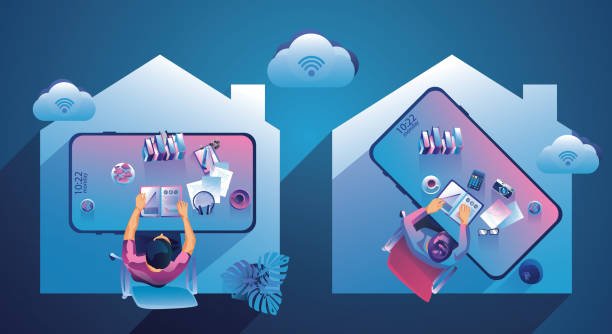
The Foundation: Remote Work Tools That Keep You Connected
Before you automate, you need the right remote work tools to stay connected and productive.
Here are the essentials every freelancer or remote worker should have in 2025:
1. Communication Tools for Asynchronous Collaboration
When your clients or teammates live across time zones, real-time meetings can be a pain.
That’s where asynchronous collaboration tools shine.
Top picks:
- Slack – Great for organized messaging and quick updates.
- Loom – Record short videos to explain ideas or feedback without live calls.
- Twist – A cleaner, calmer alternative to chat chaos.
These tools keep everyone in sync, even if you’re not online at the same time.
2. Project Management for a Smooth Freelancer Workflow
Managing multiple clients means keeping track of deadlines, deliverables, and priorities.
With the right tool, you’ll never lose control again.
Best options:
- Trello – Simple visual boards for solo hustlers.
- ClickUp – Combines tasks, time tracking, and goals in one place.
- Notion – Perfect if you love an all-in-one customizable workspace.
When your workflow is organized, you can automate reminders, follow-ups, and progress reports — saving hours every week.
3. Cloud Storage & Document Sharing Tools
You can’t scale your side hustle if you’re still digging through email attachments.
Recommended remote work tools:
- Google Drive – Simple, free, and great for collaboration.
- Dropbox – Secure sharing for clients who need reliability.
- OneDrive – Perfect for Microsoft users managing files on the go.
These platforms allow quick file sharing, automatic backups, and peace of mind.
Automate Repetitive Tasks and Free Up Mental Space
Automation is where the real magic happens.
Once your remote work tools are in place, it’s time to make them talk to each other.
1. Automate Your Admin Work
Every freelancer knows how time-consuming admin can be — invoices, client onboarding, contracts, etc.
Thankfully, automation can take over.
Tools to try:
- Zapier or Make (formerly Integromat) – Connect apps and automate workflows like sending invoices or adding new leads to your CRM.
- HoneyBook – Automates proposals, contracts, and payments.
- Clockify – Automatically tracks your work hours and creates reports.
With remote tools + automation, you could save 5–10 hours every week — time you can spend earning or resting.

2. Automate Content and Marketing
Marketing your services can feel like a full-time job. Luckily, automation helps here too.
Best options:
- Buffer or Later – Schedule social posts across platforms.
- ConvertKit – Automate email campaigns to nurture leads.
- Canva + Magic Studio – Create visuals faster using AI templates.
Imagine waking up to find your posts published, leads nurtured, and clients reaching out — all on autopilot.
3. Automate Client Communication
Following up with clients doesn’t have to be manual.
Try:
- Calendly for scheduling meetings without back-and-forth.
- ChatGPT-based bots for quick client replies or FAQs.
- Email templates + Gmail filters to categorize messages automatically.
This keeps your client experience professional and efficient — even when you’re offline.
Building a Smart Freelancer Workflow
The smartest freelancers today don’t just use tools — they build systems.
Here’s how to design your own freelancer workflow that runs like clockwork:
Step 1: Map Your Routine
List your daily tasks — client work, communication, invoicing, research, etc.
Highlight repetitive tasks that can be automated or outsourced.
Step 2: Connect Your Tools
Use Zapier, Make, or IFTTT to connect apps.
Example:
When you mark a task complete in ClickUp → Zapier automatically sends a Slack message to your client → and updates a Notion dashboard.
That’s a simple, hands-off workflow.
Step 3: Track Your Time Wisely
Use Toggl or RescueTime to see where your hours go.
Data-driven insight = smarter time management for freelancers.
Step 4: Review and Refine Weekly
Every Sunday, spend 15 minutes reviewing what worked and what didn’t.
This small habit compounds into massive freelance productivity gains over time.
The Role of AI in Remote Tools + Automation
AI isn’t just hype — it’s your invisible assistant.
Here’s how modern freelancers are using AI to scale faster:
1. AI Writing & Research Tools
Apps like Jasper, ChatGPT, and Notion AI can draft emails, blogs, or proposals in minutes.
They help freelancers write faster, research smarter, and maintain consistent quality.
2. AI Scheduling & Task Prioritization
Tools like Motion and Reclaim.ai automatically plan your day based on priorities and meetings.
It’s like having a virtual manager for your time.
3. AI Design & Video Tools
Freelancers creating content love Runway ML, Pika Labs, and Canva’s Magic Studio.
They automate editing, enhance visuals, and even create videos from text.
AI is no longer optional — it’s your competitive edge.

Work From Home Essentials That Support Your Flow
Automation is great, but your physical and digital setup also matters.
These work from home essentials can make your routine smoother and more enjoyable.
Must-Have Gear:
- Ergonomic chair & desk setup
- Noise-canceling headphones
- High-speed Wi-Fi backup (like a 4G dongle)
- A second monitor for multitasking
Must-Have Apps:
- Focus To-Do for Pomodoro + task tracking
- Notion Dashboard for goal tracking
- Spotify or Brain.fm for focus music
A comfortable setup and the right mindset make automation even more powerful.
Time Management for Freelancers: The Secret Ingredient
You can have all the tools in the world, but without discipline, it’s easy to slip into chaos.
Here’s how to master time management for freelancers:
- Use the 2-hour rule – Block two hours daily for deep, uninterrupted work.
- Batch similar tasks – Reply to all emails at once, edit all videos together, etc.
- Automate distractions – Use site blockers or focus apps.
- Take guilt-free breaks – Automation means you can recharge without losing progress.
Remember: You don’t need to hustle 12 hours a day — you just need to automate smartly.
Digital Nomad Tips: Scaling on the Go
If you love working while traveling, remote tools + automation make it possible to maintain consistency anywhere.
Top Tips:
- Store all your files in the cloud.
- Automate your client onboarding and billing before you fly.
- Use asynchronous collaboration tools to avoid timezone stress.
- Keep a VPN handy to protect your data while working on public Wi-Fi.
Being a digital nomad isn’t just freedom — it’s about systems that support your lifestyle no matter where you are.
How to Start Automating Today
Here’s a simple roadmap if you’re just starting with remote tools + automation:
- Pick your core tools: Google Workspace, Slack, ClickUp, and Zapier.
- Identify 3 tasks that eat up your time — invoicing, scheduling, or follow-ups.
- Automate one per week.
- Track the time saved and reinvest it in learning or client work.
Within a month, you’ll feel the difference. Within three, your side hustle will start scaling itself.
Final Thoughts: Work Less, Earn More, Live Free
Automation doesn’t make you lazy — it makes you leveraged.
With the right remote work tools, AI assistants, and automation workflows, you can run your freelance business smoothly while enjoying your freedom.
Your side hustle deserves to scale without draining your energy.
Let remote tools + automation handle the busywork so you can focus on growth, creativity, and living life on your terms.
In 2025, smart hustlers don’t just work hard — they automate hard.