Minimalism at Work is becoming a quiet revolution. More people are realizing they don’t need a complicated digital workplace to do great work. They just need clarity, fewer distractions, and tools that help instead of overwhelm them. A cleaner setup leads to better focus, less stress, and a workflow that actually works.
In this guide, we’ll dig into how to streamline your digital workspace so you can work faster, think clearer, and stay productive—whether you’re a remote worker, freelancer, or digital nomad. You’ll learn how to simplify your apps, organize your files, and structure your day with more intention. Let’s dive into a practical system you can actually use.
Why Minimalism at Work Matters in 2025
Minimalism at Work is more than having a clean desk or a sleek desktop wallpaper. It’s about removing digital clutter so your mind stays focused on meaningful work. When you work remotely or freelance, distractions hide everywhere—tabs, apps, notifications, and even workflows that make things messier instead of easier.
Many remote workers use too many tools. They add new apps every time a problem appears. Over time, this creates chaos. Your digital workspace starts slowing you down. Minimalism helps you step back and pick only the essentials.
For freelancers, digital nomads, and anyone working asynchronously, clear systems are everything. When your tools work smoothly, your workflow flows naturally. When your mind isn’t overwhelmed, creativity and problem-solving become stronger.
Minimalism isn’t about having less. It’s about having exactly what you need—and nothing that drains your attention.
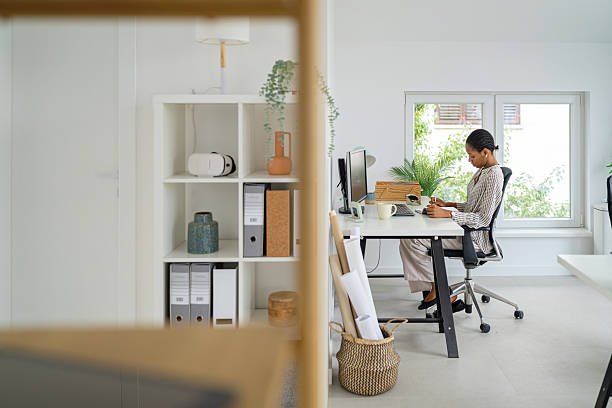
The Core Principles of Minimalism at Work
Minimalism at Work works best when you understand its main principles. These ideas help you build a digital workspace that stays clean and productive, not just for a few days, but long term.
Choose Tools Intentionally
Most people collect apps without thinking. The minimalist approach is simple: every tool must serve a clear purpose. If it doesn’t save time, reduce stress, or improve your freelancer workflow, it’s probably unnecessary.
Reduce Digital Clutter
Your laptop is your office. If it’s cluttered, your mind feels cluttered too. Minimalism encourages organizing files, simplifying folders, and using fewer tabs and notifications.
Design for Flow
Your setup should make it easy to enter deep focus. That means fewer interruptions, predictable systems, and tools that support asynchronous collaboration without overwhelming your brain.
Create Consistency
A minimalist system is easy to maintain because it’s simple. Repeated tasks should follow the same process. Your calendar, task list, and tools should align instead of compete.
Step 1: Declutter Your Digital Workspace
Minimalism at Work begins with a cleanup. You don’t need to overhaul everything at once. Just start small and keep going.
Clean Up Your Desktop
A messy desktop is a silent productivity killer. It forces your brain to process more things every time you look at it.
Try keeping only:
- One folder named “Workspace”
- Your daily tools
- Nothing else
This creates instant mental clarity.
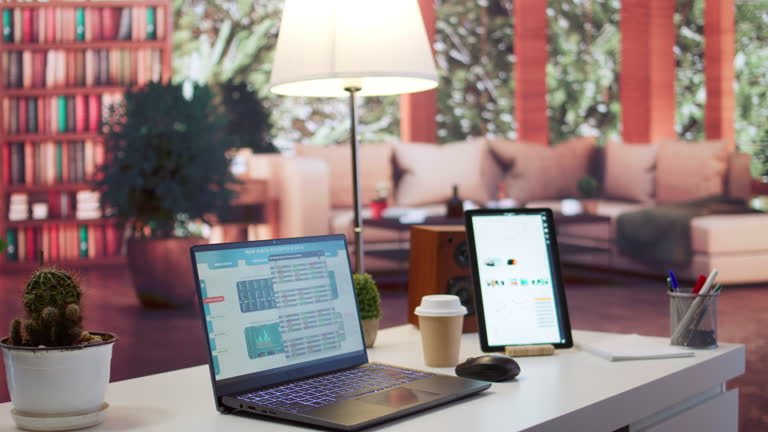
Organize Your Files the Simple Way
Freelancers often overflow with files—clients, projects, drafts, invoices, docs. Instead of building complicated folders, use a simple structure:
- Clients
- Projects
- Admin
- Learning
- Archive
Minimalism at Work favors systems that are easy to maintain even when you’re busy.
Reduce Tab Overload
Most remote workers keep 20+ tabs open. That’s not multitasking—that’s fatigue.
Try a minimalist tab workflow:
- Keep a single browser window
- Use an extension like OneTab or Toby
- Group tabs by project
- Close everything at the end of the day
Your focus will instantly improve.
Step 2: Use Only the Remote Work Tools You Truly Need
Minimalism at Work doesn’t mean ditching tools. It means choosing the right ones and simplifying the rest.
Here’s a clean, efficient stack for remote workers, freelancers, and digital nomads.
For Task Management
You don’t need five project apps. You just need one tool that handles tasks clearly.
Great options include:
- Todoist
- Notion
- Asana (only if you have a team)
Pick one and commit.
For Communication
Minimalists avoid endless chat notifications.
Choose:
- Slack (for teams)
- Gmail + filters (for freelancers)
- Loom (for async video messages)
These support asynchronous collaboration without the noise.
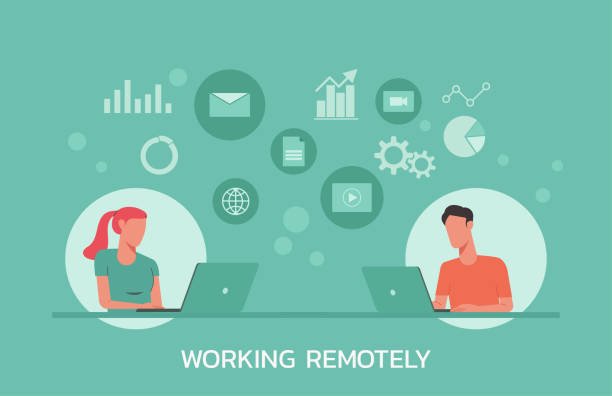
For File Storage
Pick just one cloud service:
- Google Drive
- Dropbox
- OneDrive
Then structure it the same way as your computer folders.
For Notes
Note apps are the biggest source of digital clutter.
Choose:
- Notion (all-in-one)
- Google Keep (simple)
- Obsidian (powerful but minimalist)
Use only one.
Step 3: Master Minimalist Remote Work Routines
Minimalism at Work is not just about tools. It’s about habits that support focus, clarity, and momentum.
Start Your Day With One Priority
Most freelancers begin the day reacting—emails, messages, notifications. Instead, start by choosing your one most important task. When you finish that task, the entire day feels lighter.
Use Time Blocking
Time management for freelancers becomes easier when you block time for specific work instead of switching constantly.
Try a simple setup:
- 90 minutes deep work
- 10-minute break
- 60 minutes admin or creative tasks
- 30 minutes communication
This routine supports a clean mental workspace.
Keep Your Workflow Consistent
Freelancers work with moving parts—clients, projects, revisions, deadlines. A minimalist workflow removes chaos by creating predictable steps.
A simple system:
- Receive task
- Add to task manager
- Break into steps
- Schedule blocks
- Deliver and archive
This keeps your mind calm and focused.
Step 4: Create a Clean Work-From-Home Environment
Minimalism at Work is stronger when your physical space supports your digital space.
Choose Essentials Only
Your desk should have:
- Laptop or monitor
- Keyboard and mouse
- A notebook
- A plant or minimal decor
Nothing extra.
Lighting Matters
A clean digital workspace starts with a well-lit physical workspace. Bright, natural light boosts mood and focus.
Remove Noise
Physical noise creates digital noise. Use:
- Noise-canceling headphones
- Soft background music
- A door sign for “Do Not Disturb”
Small changes make big improvements.
Step 5: Build a Minimalist Freelancer Workflow
If you freelance, minimalism is a superpower. The simpler your system, the more clients you can manage without stress.
Use Simple Client Onboarding
You don’t need complicated proposals.
Keep it simple:
- One intro message
- One pricing sheet
- One contract template
- One onboarding form
Clients love clarity.
Batch Your Work
Jumping between projects kills focus. Instead, group tasks into batches:
- Emails
- Writing
- Analysis
- Meetings
- Editing
Batching gives you more energy and more control.
Analyze Your Tools Every 90 Days
Minimalism at Work is an ongoing process. Review your tools every three months and remove anything you don’t use anymore.
Step 6: Asynchronous Collaboration Without the Chaos
Async workflows are powerful, but they can become messy fast. Minimalism helps you keep things organized.
Record Instead of Meet
Before scheduling a meeting, ask:
“Can this be a Loom video?”
Most of the time, the answer is yes.
Use One Communication Channel Per Purpose
For example:
- Slack → Daily communication
- Email → Formal updates
- Notion → Project documentation
This prevents confusion.
Make Updates Short and Clear
Async collaboration works best when messages are short. Use:
- Bullets
- Clear deadlines
- Links instead of attachments
Clear writing reduces back-and-forth.
Step 7: Minimalism for Digital Nomads on the Move
Minimalism at Work becomes even more important when you work from different places.
Keep Your Setup Light
You need only:
- Lightweight laptop
- VPN
- Cloud storage
- One small pouch of accessories
Less weight means more freedom.
Use Offline-Friendly Tools
Nomads face unstable Wi-Fi. Use tools that work offline:
- Notion offline
- Google Docs offline mode
- Local backup folder
This keeps your workflow running anywhere.
Create a One-Screen Workflow
Working on small screens forces simplicity. Keep one window open at a time. It boosts clarity, even in small spaces.
Step 8: Maintain Digital Minimalism Forever
Minimalism at Work stays effective when it becomes a habit.
Weekly Review
Spend 15 minutes every Friday:
- Clear your desktop
- Delete old downloads
- Close open tabs
- Plan next week’s tasks
Monthly Cleanup
Once a month:
- Organize files
- Archive old projects
- Remove unused apps
Quarterly Reset
Every 90 days:
- Review tools
- Update workflows
- Refresh routines
Small resets prevent big messes.
Final Thoughts: Minimalism at Work Is a Long-Term Productivity Superpower
Minimalism at Work isn’t a trend. It’s a mindset shift. When you simplify your tools, organize your digital space, and create intentional routines, everything improves. Freelancers gain more control. Remote workers reduce stress. Digital nomads manage work from anywhere. And your overall freelance productivity becomes smoother, cleaner, and more enjoyable.
Your digital workspace becomes calm, not chaotic.
Your focus becomes sharp, not scattered.
Your time becomes valuable, not wasted.
Minimalism at Work gives you the freedom to do your best work—every day.