If you own a Passport + Laptop, you already hold the two most important items for a life of freedom. These two things open the door to remote work, global travel, and the flexibility to earn from anywhere. But to make this lifestyle smooth, you need the right systems, the right remote work tools, and the right habits.
This guide is your full breakdown of how to work, travel, and thrive with just a Passport + Laptop. You’ll learn the digital tools, productivity systems, freelancer workflow ideas, and practical hacks that keep you efficient while living on the move.
Whether you’re a digital nomad, a freelancer, a remote employee, or someone who just wants more freedom, this article will help you build a strong, simple, and sustainable setup.
Why Passport + Laptop Is the New Way to Work
The world has changed. You don’t need an office to make money anymore. You don’t need a fixed address. You don’t even need a full desk setup. With a Passport + Laptop, your workspace follows you everywhere.
People are working from cafés, coworking hubs, airports, beach houses, and tiny apartments all over the world. The rise of asynchronous collaboration, cloud-based apps, and mobile-friendly platforms makes this lifestyle not just possible — but practical.
The goal is simple:
Work from where you feel happiest, most focused, and most alive.
And the right remote work tools make that happen.
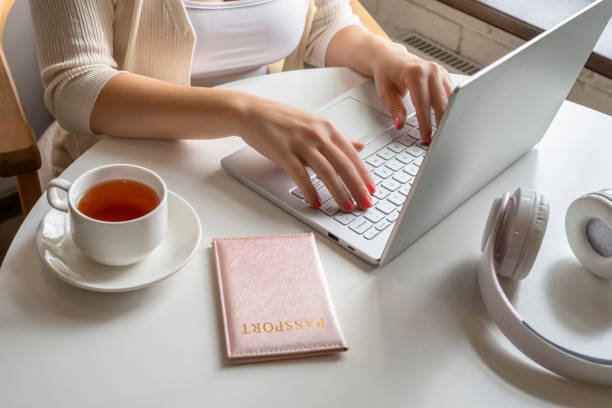
Your Essential Remote Work Tools for Life on the Move
Remote work becomes easy when you choose simple, reliable tools. You don’t need 50 apps. You need a small set of essentials that support your lifestyle and your freelance productivity.
Below are the best remote work tools for anyone living the Passport + Laptop lifestyle.
The Core Apps Every Digital Nomad Should Install
Cloud Storage: Your Entire Office in the Cloud
When you live out of a backpack, you can’t afford to lose files. Cloud storage keeps your documents safe, synced, and accessible from anywhere.
Top picks:
- Google Drive — simple, fast, universal
- Dropbox — great for large files
- iCloud — best for Apple users
If your laptop breaks, gets stolen, or needs repair, your whole work life is still safe. That’s the power of pairing your Passport + Laptop with cloud storage.
Project Management Without the StressYou need a simple way to track tasks while crossing time zones.
Best lightweight tools:
- Trello — visual and super simple
- Asana — great for teams
- Notion — for organizing everything in one place
These tools improve your freelancer workflow without overwhelming you. Keep it minimal. Keep it clean. Keep it organized.
Communication Tools for Asynchronous Collaboration
Remote life means you’re not always online at the same time as clients or teams. That’s why asynchronous collaboration is your best friend.
Best apps:
- Slack — messaging that isn’t chaotic
- Loom — record quick screen videos instead of long explanations
- Zoom — for high-quality client calls
These tools reduce stress and keep everyone aligned, no matter where you’re working.

Time Management for Freelancers on the Move
Time zones can be messy. New cities have new routines. Travel breaks your schedule. That’s why time management for freelancers matters more when you’re mobile.
Here are the systems that work:
Use Time Zone Assistants
Tools like World Time Buddy help you see client time zones at a glance. It prevents missed deadlines and late-night calls.
Try the 3-Hour Deep Work Rule
Every day, aim for one 3-hour block of focused work.
No distractions. No notifications.
It’s simple. It works anywhere — a café in Chiang Mai, a coworking space in Bali, or a hotel room in Istanbul.
Batch Similar Tasks
Do all communication at once.
All creative work at once.
All admin tasks at once.
Your Passport + Laptop becomes more productive when your workflow is predictable.
Freelance Productivity Tips for Working Globally
Living the digital nomad life is exciting, but it’s easy to fall into traps like distraction, inconsistency, or burnout. That’s why you need simple freelancer productivity strategies that keep you consistent.
Build a “Mobile Workstation” That Fits in Your Bag
Your laptop is the heart of your mobile office, but a few ultra-light accessories can take your setup from average to amazing.
Here’s what to pack:
- Slim wireless mouse
- Foldable laptop stand
- Noise-canceling earbuds
- Portable power bank
- Universal travel adapter
- Small notebook
Everything fits in one backpack. Everything makes you faster.
A Passport + Laptop lifestyle feels smoother when your tools support your workflow.
Use One App for All Your Notes
You don’t want ideas scattered everywhere. Pick one note-taking app and stick to it.
Best choices:
- Notion
- Evernote
- Google Keep
This helps you stay productive even in chaotic environments like airports or busy cafés.
Use Keyboard Shortcuts to Save Hours
When you work remotely, speed matters. Small time savings add up over months of travel.
Examples:
- Ctrl + K to search inside apps
- Alt + Tab to switch windows
- Ctrl + Shift + T to reopen closed tabs
It may sound small, but it dramatically improves freelance productivity when you’re constantly multitasking.
Automation Tools That Work Even When You’re Traveling
Automation removes repetitive tasks so you can focus on meaningful work.
Top tools:
- Zapier — connect apps
- Make — advanced automations
- Calendly — automatic meeting scheduling
Your passport takes you around the world. Automation takes your productivity to the next level.
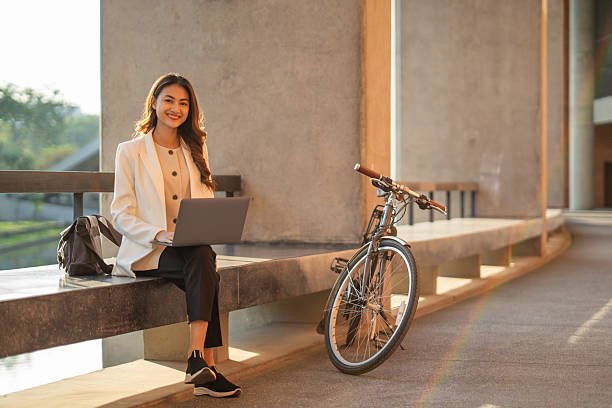
Digital Nomad Tips for Working from Anywhere
The Passport + Laptop lifestyle is fun, but it also has challenges. Travel delays, slow Wi-Fi, noise, unfamiliar routines — all of these can break your workflow.
These digital nomad tips help you stay resilient and effective.
Always Test the Wi-Fi Before Booking a Place
Ask for:
- Speed test screenshot
- Router location
- Backup connection options
This one step can save your entire work trip.
Pick the Right Work-Friendly Cities
Some cities are built for remote workers.
Top picks:
- Bali
- Chiang Mai
- Bangkok
- Mexico City
- Lisbon
- Tbilisi
- Istanbul
These places offer cheap living, good Wi-Fi, coworking spaces, and communities of remote workers.
Create a Morning Routine Anchored Around One Thing
Your environment changes every week. Your routine shouldn’t.
Choose one anchor habit:
- Coffee
- Journaling
- Reading
- Stretching
- Deep work
A stable routine brings structure to an unstable lifestyle.
Learn to Work Offline
Even with bad Wi-Fi, you can still be productive.
Download:
- Emails
- Docs
- Videos
- Tasks
Work offline. Then sync everything later. This is one of the smartest digital nomad tips that people ignore.
The Best Work From Home Essentials (Even for Nomads)
Even when traveling, you’ll spend time working from your accommodation. Make it a comfortable, productive space.
Set Up a Mini Workspace Anywhere
With your Passport + Laptop, you can turn any room into a workstation.
You need:
- A clean table
- Good lighting
- Comfortable chair
- Headphones
That’s it. Simple, clean, and distraction-free.
Use Calendar Blocking
Remote workers often struggle because days feel unstructured. Calendar blocking fixes this.
Examples:
- 9–11 AM: client work
- 11–12 PM: admin tasks
- 2–4 PM: creative work
This gives your freelancer workflow a rhythm no matter where you are.
Keep Work and Travel Separate (Mentally)
When your life is always moving, your mind can become scattered. Try creating clear boundaries.
Ideas:
- Only travel on weekends
- Keep one work-only coffee shop in each city
- Have a daily digital shutdown time
This helps you maintain focus and avoid burnout.
The Ultimate Freelancer Workflow for Passport + Laptop Living
If you want long-term success with remote work, you need a workflow that keeps you consistent, even during travel.
Here is the ultimate freelancer workflow for a moving lifestyle:
Step 1: Plan Weekly
Create a simple list:
- Top 3 priorities
- Upcoming deadlines
- Travel dates
- Daily deep work blocks
Weekly planning is the backbone of freelance productivity.
Step 2: Do Deep Work First
Before checking messages or social media, do your most important task.
This single rule makes the Passport + Laptop lifestyle productive and stress-free.
Step 3: Communicate Clearly and Asynchronously
Use short, structured messages:
- What I did
- What I’m doing next
- What I need from you
This removes confusion across time zones.
Step 4: Track Everything
Track:
- Income
- Hours
- Projects
- Clients
- Travel costs
Use Notion, Trello, or Excel. Tracking gives you stability in a constantly changing lifestyle.
Step 5: Use a Simple Backup System
Have:
- Cloud storage
- Offline copies of important documents
- Password manager
- Traveler insurance
Your Passport + Laptop should always be secure.
The Future of Work Is Passport + Laptop
We are entering a world where more people work remotely, travel more, and build businesses from laptops. This lifestyle isn’t a trend — it’s the future.
Here’s why:
- Companies are hiring globally.
- Tools support asynchronous collaboration.
- Freelancers can work from anywhere.
- People want freedom and flexibility.
The Passport + Laptop lifestyle gives you control of your time, your environment, and your income. You decide where to live. You decide when to work. You decide how to spend your day.
Remote work tools make it possible. Freelancer workflows make it efficient. And your dedication makes it sustainable.
Final Thoughts: Your Life in a Backpack
A Passport + Laptop can change your life.
It gives you:
- Freedom to travel
- Ability to earn from anywhere
- A productive workflow
- A simple lifestyle
- A future without limits
Whether you’re starting your digital nomad journey or already living it, this lifestyle gives you more choice, more independence, and more adventure.
Your tools matter.
Your systems matter.
Your habits matter.
But the biggest thing that matters is this:
You can build a life on your own terms with just a Passport + Laptop.