
In today’s world, remote team collaboration is no longer optional—it’s essential. Teams spread across cities and countries need efficient ways to work together without losing touch. Fortunately, digital tools have transformed the way we connect, communicate, and create from anywhere. If you’re a freelancer, a digital nomad, or managing a remote team, understanding these apps can boost your productivity and streamline your workflow.
The rise of remote work has brought an explosion of remote work tools. From communication platforms to project management software, the digital frontier is brimming with apps designed to make collaboration seamless. But not every app suits every team. Choosing the right tools depends on your workflow, team size, and project type.
Why remote team collaboration matters
Working remotely comes with freedom but also challenges. Without face-to-face interactions, it’s easy for tasks to slip through the cracks. Remote team collaboration ensures everyone is on the same page, deadlines are met, and communication remains clear. It bridges the gap between time zones and work habits.
Successful collaboration is more than just picking tools—it’s about creating a culture. Teams that embrace asynchronous collaboration, for instance, allow members to work efficiently across different schedules. Combining these tools with good time management for freelancers and remote workers ensures smoother projects and higher productivity.
Essential remote work tools for collaboration
Choosing the right tools can make or break your remote workflow. Here’s a breakdown of must-have apps that enhance remote team collaboration:
Communication platforms
Clear communication is the backbone of remote teams. Tools like Slack, Microsoft Teams, and Discord provide instant messaging, file sharing, and channel organization. They keep conversations organized by projects or topics, preventing important details from getting lost in email threads.
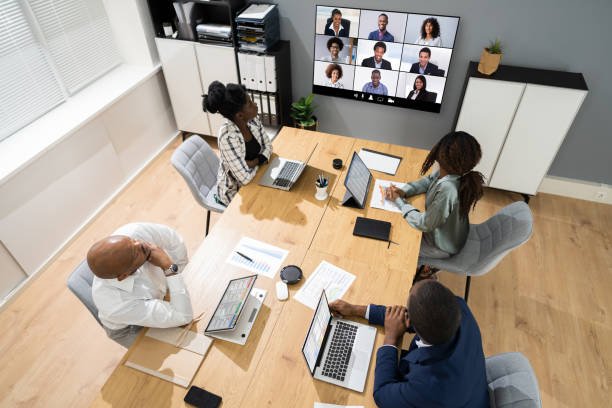
Video conferencing apps are equally important. Zoom, Google Meet, and Microsoft Teams Video allow teams to connect face-to-face virtually. They foster trust, clarify complex topics, and make brainstorming more effective. For freelancers, these apps can also enhance client relationships.
Project management apps
Keeping track of tasks and deadlines is crucial. Trello, Asana, and Monday.com are popular tools that visualize workflows, assign responsibilities, and track progress. Teams can create boards, lists, and tasks to ensure every project milestone is met.
These apps also support asynchronous collaboration. Members can update their tasks anytime, making it perfect for global teams. Freelancers can integrate these with their freelancer workflow to maintain accountability and efficiency.
File sharing and cloud storage
A collaborative team needs easy access to files. Google Drive, Dropbox, and OneDrive let teams store, share, and edit documents in real-time. Cloud storage ensures everyone works on the latest version, eliminating confusion and redundancy.
For digital nomads, cloud-based apps are work-from-home essentials. They allow access from laptops, tablets, or even smartphones, making your workflow seamless while on the move.
Time management and productivity apps
Time management for freelancers is critical. Apps like Toggl, RescueTime, and Clockify track hours, analyze productivity, and help identify time drains. Integrating these with project management tools ensures every hour spent contributes to project goals.
For remote teams, tools that support focused work sessions, like Focus Booster or Pomofocus, help maintain concentration. Freelance productivity skyrockets when team members can balance flexibility with discipline.
Tips for effective remote team collaboration
Having the tools is just the beginning. Using them strategically transforms your remote workflow:
- Set clear expectations: Define roles, deadlines, and responsibilities. Clear guidelines reduce confusion and improve accountability.
- Embrace asynchronous collaboration: Not every task requires instant responses. Encourage team members to update tasks and documents at their own pace.
- Regular check-ins: Weekly or bi-weekly video calls maintain personal connection and clarify priorities.
- Use collaborative documents: Tools like Notion or Google Docs let multiple team members edit simultaneously, reducing bottlenecks.
- Prioritize freelancer workflow: Keep freelancers’ hours and availability in mind. Align deadlines to suit diverse schedules without overloading anyone.
Remote collaboration for digital nomads
Digital nomads often face unique challenges. Traveling while maintaining productivity requires flexible and reliable apps. Mobile-friendly platforms, cloud storage, and offline capabilities become critical.
Being a digital nomad also requires excellent time management for freelancers. Using task timers, shared calendars, and communication tools ensures deadlines are met even across continents. With the right strategy, remote team collaboration becomes an effortless part of your travel lifestyle.
Balancing productivity and flexibility
One of the biggest advantages of remote work is flexibility, but it can backfire if not managed properly. Freelancers and teams alike must create structured routines. Combining project management apps with time-tracking tools allows for better planning and reduces stress.
Work-from-home essentials aren’t just apps—they include habits, dedicated spaces, and routines. Encourage team members to block time for deep work and avoid multitasking during collaborative sessions. This balance enhances both productivity and creativity.
Choosing the right apps for your team
With hundreds of remote work tools available, picking the right combination can be overwhelming. Consider:
- Team size and structure: Large teams may need more robust project management tools, while small teams thrive with simpler apps.
- Budget constraints: Some apps offer free tiers suitable for freelancers and startups.
- Integration needs: Choose tools that integrate with your existing workflow to avoid switching apps constantly.
- User-friendliness: Adoption is faster when the interface is intuitive and requires minimal training.
Trial and error is normal. Start with a few core apps, test their effectiveness, and expand as needed.

Future trends in remote collaboration
The digital frontier continues to evolve. AI-powered collaboration tools, virtual reality meeting rooms, and advanced asynchronous platforms are emerging. Teams that adopt innovative apps early gain competitive advantages.
For freelancers, staying updated on these trends ensures long-term productivity. Combining traditional tools with emerging solutions enhances remote team collaboration, strengthens communication, and supports sustainable work habits.
Conclusion
Remote team collaboration isn’t just about tools—it’s about culture, strategy, and consistency. Using the right apps for communication, project management, file sharing, and time tracking can transform how teams and freelancers operate. By embracing asynchronous collaboration, prioritizing productivity, and staying adaptable, you can unlock the full potential of remote work.
Whether you’re a digital nomad, a freelancer, or managing a distributed team, the secrets of the digital frontier lie in mastering both the tools and the mindset. Invest in the right apps, refine your workflow, and watch your team thrive in the new era of remote collaboration.