In the fast-changing world of remote work, staying productive isn’t enough — you need to stay secure too. Whether you’re a freelancer juggling clients or a digital nomad working from cafés across the globe, your workflow depends on tools that not only make things faster but also keep your data safe.
Let’s explore the Secure & Smart Remote Tools that protect your workflow while improving focus, speed, and collaboration. These tools aren’t just convenient — they’re your digital armor in the modern work-from-anywhere era.
Why Security Matters More Than Ever in Remote Work
Remote work gives freedom, but it also brings new risks. Open Wi-Fi networks, shared devices, and constant online collaboration make it easier for hackers to find vulnerabilities. One careless click can expose sensitive information or even compromise your client’s trust.
That’s why secure remote work tools are the foundation of a healthy digital workspace. They ensure encrypted communication, protected file storage, and verified access control — so your focus stays on work, not worry. Secure & Smart Remote Tools will make you successfull.
Smart freelancers and teams know this: security is productivity. A protected workflow means fewer interruptions, safer data, and better client confidence.
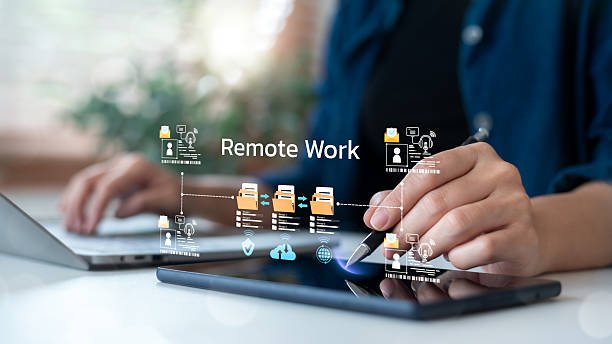
The Core of a Secure & Smart Workflow
Let’s break down what makes remote tools both secure and smart.
- Encryption First: The tool must encrypt data in transit and at rest. That means no one can intercept your messages or files.
- Access Control: You decide who gets in and what they can see.
- Cloud Backup: Automatic backups protect your projects from device loss or crashes.
- Smart Integration: The best tools work together — from project tracking to file storage — minimizing manual tasks.
- AI-powered Efficiency: Modern tools learn your workflow patterns and help automate repetitive tasks.
Combining these features makes your digital life safer and your freelance productivity smoother.
Secure Communication Tools
When you’re managing clients, teammates, or vendors, communication is key — but it must be private and encrypted.
1. Signal
Signal is one of the most trusted messaging apps for professionals who value privacy. Every chat, call, and file is end-to-end encrypted. It’s perfect for freelancers handling confidential information or client projects that need discretion.
2. ProtonMail
For email communication, ProtonMail is unbeatable. It’s based in Switzerland, known for strict privacy laws, and uses end-to-end encryption. You can even send password-protected messages that auto-delete after a set time — great for sensitive project details.
3. Zoom with End-to-End Encryption
If you hold client calls or team meetings, Zoom’s E2E encryption option ensures no third party can listen in. It’s simple, secure, and professional.
Smart communication tools not only protect your messages — they also save you time with fast connections and AI transcription support for better asynchronous collaboration.
Secure File Storage & Sharing Tools
Storing and sharing files is part of every freelancer’s day. But not all cloud tools are made equal. Some trade convenience for safety.
1. Tresorit
Tresorit is built for people who need advanced file security. It encrypts files before they even upload, keeping hackers and unauthorized users out. It’s ideal for business documents, contracts, or design files.
2. Sync.com
Sync.com is a secure, easy-to-use cloud service that ensures all your files are end-to-end encrypted. It’s also affordable, making it a great choice for solo freelancers.
3. Google Drive with Two-Factor Authentication
If you prefer Google Drive for collaboration, secure it with 2FA (Two-Factor Authentication) and limited access permissions. Combined with its smart search and AI features, it becomes both secure and efficient.
With these tools, your freelancer workflow stays clean, fast, and locked down.
Smart Password & Access Management
You probably use dozens of accounts daily — project tools, invoicing apps, communication platforms, and cloud storage. Weak or repeated passwords are dangerous.
1. Password
This tool generates strong, unique passwords for every account and stores them securely. You just remember one master password — 1Password takes care of the rest.
2. Bitwarden
A free alternative, Bitwarden offers open-source password management with zero-knowledge encryption. It’s simple, secure, and syncs across devices.
A smart freelancer treats passwords like keys to their digital office — and keeps them locked tight.
Time Management for Freelancers
Security isn’t just about data — it’s also about protecting your time. The right time management tools help you focus on high-value work instead of juggling distractions.
1. RescueTime
RescueTime tracks your digital behavior to show where your hours really go. It’s a smart productivity mirror that helps freelancers eliminate time-wasting apps and improve focus.
2. Clockify
A secure, cloud-based time tracker perfect for freelancers who bill by the hour. It lets you monitor work time across clients, generate reports, and keep data safe in encrypted storage.
3. Todoist
Todoist keeps your daily tasks organized. Its clean interface and AI reminders help you stay on track — protecting your focus and energy throughout the day.
Managing time effectively is a key work from home essential — it makes your workflow both secure and smart.
Project Management with Built-in Security
Collaboration can get messy without structure. The best project management tools combine security, clarity, and automation to keep remote teams running smooth
1. Notion
A flexible workspace for managing everything from client notes to content calendars. It offers granular permissions, so you control who sees what. Plus, its offline access ensures your work stays safe even without internet.
2. Asana
Asana helps teams manage projects visually. It’s great for asynchronous collaboration, letting members work on different time zones without losing track. Use SSO (Single Sign-On) for added login security.
3. Basecamp
Basecamp focuses on privacy. It doesn’t mine your data and offers private message boards, file storage, and to-do lists — all under one roof.
Smart teams use these tools to replace messy emails and insecure spreadsheets.

VPNs and Device Protection
Remote work often means connecting to public or shared Wi-Fi. A Virtual Private Network (VPN) is your first line of defense.
1. NordVPN
Fast, reliable, and secure. NordVPN encrypts all your traffic and hides your IP address. Whether you’re working from a co-working space or airport lounge, your connection remains private.
2. ExpressVPN
A favorite among digital nomads, ExpressVPN works globally and maintains strong encryption without slowing down your internet.
Combine VPNs with anti-malware protection like Malwarebytes to keep your device clean and your freelance productivity uninterrupted.
Smart Automation Tools That Respect Privacy
Automation saves time, but it should never compromise your data.
1. Zapier
Zapier connects your favorite apps to automate workflows securely. You can create “Zaps” that send data from one tool to another without human input — all under encrypted channels.
2. Make (formerly Integromat)
Make offers advanced automation with robust privacy controls. It’s ideal for freelancers who want to link tools like Gmail, Slack, and Google Sheets safely.
These smart remote tools boost productivity while keeping your information in safe hands.
Backup & Recovery Tools
Even the most careful freelancer can face accidents — device theft, hard drive crash, or ransomware. Backups ensure you never lose important work.
1. Backblaze
Backblaze automatically backs up your files to the cloud in real time. It’s fast, affordable, and encrypted end-to-end.
2. Acronis Cyber Protect
A more advanced option combining backup and malware protection. It’s perfect for professionals who manage multiple client systems.
Smart freelancers sleep better knowing their data is safe and restorable anytime.
Smart Habits That Strengthen Your Digital Defense
Even the best Secure & Smart Remote Tools can’t help if your habits are weak. Combine these tools with mindful behavior:
- Use strong passwords and 2FA everywhere.
- Update software regularly to patch vulnerabilities.
- Avoid public Wi-Fi unless you use a VPN.
- Backup files weekly to an encrypted cloud or external drive.
- Separate personal and work accounts.
These small steps make your freelancer workflow bulletproof.
Building a Secure & Smart Freelancer Ecosystem
Freelancers and digital nomads are their own IT departments. Every choice — from password manager to project tool — affects your entire business.
Your workflow should look like this:
- Secure communication (Signal, ProtonMail)
- Encrypted file storage (Tresorit, Sync.com)
- Password control (1Password, Bitwarden)
- VPN protection (NordVPN, ExpressVPN)
- Automated backups (Backblaze)
- Smart time management (RescueTime, Clockify)
- Collaborative platforms (Notion, Asana)
Together, these secure & smart remote tools form a complete ecosystem — one that boosts freelance productivity and gives peace of mind.
Final Thoughts
Remote work is here to stay. But freedom without security is fragile. Every freelancer and digital nomad must think beyond speed — they must think safety first.
By choosing Secure & Smart Remote Tools, you not only protect your workflow but also your reputation, client trust, and future income. The smarter your tools, the safer your success.