In a world full of apps, gadgets, and endless subscriptions, simplicity feels like a superpower. The truth is, you don’t need hundreds of tools to be productive — just the right ones. The Minimalist’s Remote Toolkit is about keeping only what helps you work smarter, live lighter, and stay focused on what truly matters.
Whether you’re a freelancer, digital nomad, or remote employee, this guide will help you strip your workflow down to the essentials — tools that make your remote life smooth, productive, and stress-free.
Why Go Minimal with Your Remote Toolkit?
Let’s face it — digital overload is real. Too many tools lead to scattered focus, constant notifications, and tech fatigue.
Minimalism isn’t about using fewer tools just for the sake of it. It’s about choosing tools that actually work — those that integrate well, save time, and fit naturally into your routine.
When you focus on essentials, your freelance productivity goes up, your stress goes down, and your mind stays clear. That’s the beauty of The Minimalist’s Remote Toolkit.
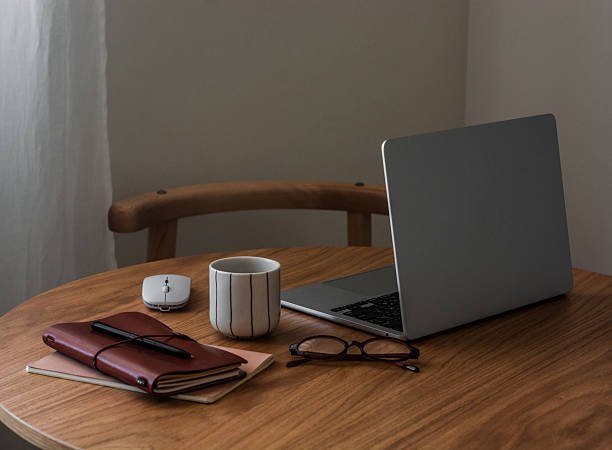
Rule #1: Fewer Tools, Better Workflow
A minimalist remote toolkit is built around a simple principle: less clutter = more clarity.
If a tool doesn’t serve a clear purpose, ditch it. The best freelancer workflow is one that’s lightweight, efficient, and doesn’t drain your mental energy.
When your digital setup is simple, you spend less time switching apps and more time doing real work.
The Core of The Minimalist’s Remote Toolkit
Let’s break it down into categories. You’ll find only the essentials here — no fluff, no bloat, just what you really need for smooth remote work.
1. Communication Made Simple
Essential Tool: Slack or Twist
Communication is the lifeline of remote work. But here’s the trick — keep it asynchronous when possible. Tools like Twist are built for async collaboration, letting you respond on your own time without feeling pressured to reply instantly.
If your team prefers live chat, Slack works great — just mute non-urgent channels and set boundaries.
Why it fits the minimalist approach: It centralizes communication and reduces the chaos of scattered messages across platforms.
2. Task Management That Doesn’t Overwhelm
Essential Tool: Todoist or Notion (with limits!)
You don’t need a project management tool with 500 features. You need one that helps you stay organized without overcomplicating your day.
Todoist keeps things light — just tasks, projects, and deadlines. Simple.
Notion works too, but avoid turning it into a maze of dashboards. Keep it lean: one workspace, one project tracker, and a goals page.
Why it fits the minimalist approach: You focus on what’s due today — not on maintaining a system that takes hours to update.
3. File Storage Without the ChaosEssential Tool: Google Drive or Dropbox
Cloud storage is non-negotiable. But again, simplicity wins. Google Drive gives you everything — docs, sheets, forms, and storage — in one clean ecosystem.
Set up a folder system that mirrors your workflow. For example:
- Clients
- Projects
- Personal
- Archives
Why it fits the minimalist approach: You know exactly where everything lives — no hunting through random downloads or endless folders.

4. Asynchronous Collaboration Tools
Essential Tool: Loom or Dropbox Capture
Asynchronous collaboration is one of the best digital nomad tips out there. Instead of scheduling meetings, record quick video updates.
Loom lets you share your screen and voice in minutes. It’s faster than typing long messages and eliminates unnecessary meetings.
Why it fits the minimalist approach: You save time, avoid meeting fatigue, and still maintain clear communication with your team or clients.
5. Time Management for Freelancers
Essential Tool: Clockify or Toggl Track
If you’re serious about freelance productivity, time tracking isn’t optional. It helps you understand where your hours go and improves your billing accuracy.
Toggl Track and Clockify both offer free, minimalist interfaces. They integrate with tools like Trello, Notion, or Slack — keeping your workflow seamless.
Why it fits the minimalist approach: You don’t guess your time — you know it, manage it, and improve it.
6. Writing and Notes That Flow
Essential Tool: Google Docs or Obsidian
Writers, marketers, and remote professionals often drown in note-taking apps. Keep it simple.
Google Docs is perfect for collaborative writing. For private note-taking, Obsidian gives you a local, markdown-based system — light, fast, and distraction-free.
Why it fits the minimalist approach: Notes stay accessible, clean, and structured — without turning into another cluttered system.
7. Calendar That Keeps You Centered
Essential Tool: Google Calendar
You don’t need fancy scheduling tools to stay organized. A clean calendar with color-coded categories works wonders.
Use it for:
- Work sessions
- Breaks and prayer times
- Client calls
- Learning or side projects
Why it fits the minimalist approach: It’s all in one place, easy to sync across devices, and integrates with most productivity tools.
8. Distraction-Free Work Environment
Essential Tool: Minimalist Browser + Noise Control App
Your physical and digital environment affects how you work.
Use tools like Freedom or Cold Turkey to block distracting sites. Pair that with a minimalist browser setup — just bookmarks for essentials and one clean homepage.
Why it fits the minimalist approach: You remove temptation and focus purely on what matters — getting meaningful work done.

9. Cloud Collaboration Without Clutter
Essential Tool: Google Workspace or Microsoft 365 (choose one)
Both platforms offer email, storage, calendar, and collaboration tools. The key is not to mix them. Choose one and stick with it.
This keeps your freelance workflow tidy and avoids the mess of switching between accounts.
Why it fits the minimalist approach: One ecosystem means less confusion, faster workflow, and simpler file sharing.
10. Automation That Saves Time (Without Overdoing It)
Essential Tool: Zapier or Make
Automation is great — until it becomes another rabbit hole.
Keep it simple:
- Auto-send invoices when projects close
- Save attachments directly to Drive
- Notify yourself when a task is due
That’s it. Avoid building complicated chains you’ll never maintain.
Why it fits the minimalist approach: Automation supports your work — it doesn’t become your work.
Work From Home Essentials for Minimalists
Minimalism doesn’t stop at digital tools — it extends to your workspace.
You don’t need an expensive setup. You just need:
- A clean desk
- A comfortable chair
- Good lighting
- Noise-canceling headphones
- A reliable laptop and internet connection
Keep your workspace clutter-free. A calm space helps your mind stay calm too.
The Mental Side of Minimalist Remote Work
The Minimalist’s Remote Toolkit isn’t just about tools — it’s also about mindset.
When you work remotely, distractions can come from anywhere: social media, messy folders, or even your thoughts. Minimalism trains your mind to focus on one thing at a time.
Before you start each day, ask:
- What’s the single most important task today?
- What tool do I really need to complete it?
That’s how you turn a simple toolkit into a powerful productivity engine.
Digital Nomad Tips: Stay Light, Stay Mobile
For digital nomads, minimalism is freedom. The fewer tools and gadgets you depend on, the easier it is to move — physically and mentally.
Travel with just your laptop, noise-canceling headphones, and a portable SSD. Store everything in the cloud, and you can work from anywhere without stress.
Pro Tip: Keep all passwords, logins, and files synced across devices using a password manager like Bitwarden. One less thing to worry about when you’re on the road.
The Power of Routine and Boundaries
Even the best minimalist toolkit can’t help if your day is chaotic.
Set clear boundaries:
- Fixed work hours
- Designated break times
- Zero notifications during deep work
Your tools are there to support your discipline, not replace it. Minimalism works only when paired with consistent habits and strong time management for freelancers.
Avoid the Trap of Constant Tool-Hopping
Here’s a trap many freelancers fall into: always searching for the “perfect” app.
You test new tools, migrate data, and never settle — wasting hours in the process. The minimalist mindset says: stick with what works.
If a tool helps you deliver results and feels comfortable to use, keep it. Don’t fix what’s not broken.
How to Build Your Own Minimalist Toolkit
Follow these steps to design your version of The Minimalist’s Remote Toolkit:
- List all tools you currently use.
- Cut duplicates. If two tools serve the same purpose, keep one.
- Evaluate usefulness. Ask, “Do I really need this every week?”
- Automate mindfully. Keep only automations that save real time.
- Review monthly. Delete unused apps and renew focus.
This simple audit keeps your digital life clean and efficient.
Why The Minimalist’s Remote Toolkit Works
Minimalism removes friction. You think less about how to work and focus more on doing the work.
With fewer distractions, your freelance productivity improves naturally. You deliver faster, think clearer, and feel lighter — both mentally and digitally.
And at the end of the day, isn’t that what remote work is all about? Freedom, focus, and flexibility — without the clutter.
Final Thoughts
The Minimalist’s Remote Toolkit isn’t about depriving yourself. It’s about designing your workflow around what truly matters.
Choose tools that align with your goals. Let go of the rest. The result? A calm, focused, and efficient remote work life.
Because sometimes, less really is more — especially when it comes to your digital workspace.